 (208) 991-3502
 Meridian, ID







 January 28, 2026
Whether you're running a business, managing apartment complexes, or simply want reliable internet at home, network problems waste time and money. Dead zones, dropped connections, and endless troublesh...
What Is Managed WiFi? How It Works for Homes & Businesses
Whether you're running a business, managing apartment complexes, or simply want reliable internet at home, network problems waste time and money. Dead zones, dropped connections, and endless troubleshooting can drain productivity and patience. That's exactly the problem managed WiFi solves, it's a service where professionals handle your network's design, monitoring, and ongoing maintenance so you don't have to.
At Treasure Valley Solutions, we design and install custom technology systems across Idaho, and managed networking is one of the most requested services we provide. This guide explains how managed WiFi works, who benefits most from it, and how it compares to traditional DIY setups. By the end, you'll know whether outsourcing your network management makes sense for your home or business.
Why managed WiFi matters now
Your network demands have changed dramatically over the past few years. Remote work, streaming services, and smart home devices all compete for bandwidth simultaneously, and traditional router setups struggle to keep pace. When you're juggling video calls, security cameras, and IoT devices across multiple floors or buildings, a single consumer-grade router won't cut it anymore. Managed WiFi addresses these modern challenges by providing enterprise-level infrastructure with professional oversight, ensuring every device stays connected without constant intervention.
Remote work puts pressure on home networks
Home offices now require the same reliability as corporate environments. Video conferencing, cloud applications, and VPN connections demand consistent upload and download speeds, and any interruption disrupts productivity. Managed WiFi providers deploy commercial-grade access points that handle dozens of concurrent connections without degradation, plus they monitor performance 24/7 to catch issues before they affect your workday.
Your internet service provider delivers the connection, but they don't optimize how it's distributed throughout your space. Professional network management fills that gap by placing hardware strategically, configuring traffic priorities, and adjusting settings as your usage patterns evolve.
Businesses can't afford downtime
For retail stores, restaurants, and offices, network outages directly impact revenue. Point-of-sale systems go offline, guest WiFi disappears, and employees lose access to critical applications. Managed services reduce downtime through proactive monitoring and rapid response, often fixing problems remotely before you even notice them.
Businesses lose an average of $5,600 per minute during network outages, making prevention far cheaper than reactive fixes.
Property managers face similar challenges across multiple units. Tenants expect reliable internet as a basic amenity, and troubleshooting connectivity complaints consumes valuable time. Managed WiFi scales across buildings while centralizing control, letting you monitor performance and address issues from a single dashboard rather than visiting each location.
Security threats evolve faster than DIY solutions
Cyber attacks targeting home and small business networks have increased significantly, and outdated firmware leaves vulnerabilities open. Managed WiFi services include automatic security updates, intrusion detection, and isolated guest networks that protect your primary devices. These protections update continuously without requiring technical knowledge on your part.
Understanding what is managed wifi means recognizing that network management is now a specialized skill. You wouldn't troubleshoot your own HVAC system or electrical panel, and WiFi infrastructure has become equally complex. Professional management delivers predictable performance, stronger security, and hours saved each month, making it a practical investment rather than a luxury service for homes and businesses that depend on connectivity.
What a managed WiFi service includes
Managed WiFi packages bundle hardware, installation, and ongoing support into a single service contract. Your provider handles everything from initial network assessment to daily monitoring, so you never deal with technical troubleshooting yourself. Understanding what is managed wifi means knowing which components come standard and which require additional investment, and most providers structure their offerings around three core elements that work together.
Professional network design and installation
Your provider starts by surveying your space to identify coverage gaps, interference sources, and optimal access point placement. They measure signal strength across every room or floor, then design a network that eliminates dead zones while supporting your specific device count. Installation includes mounting hardware, running ethernet cables where needed, and configuring each access point to work together as a unified system rather than competing for bandwidth.
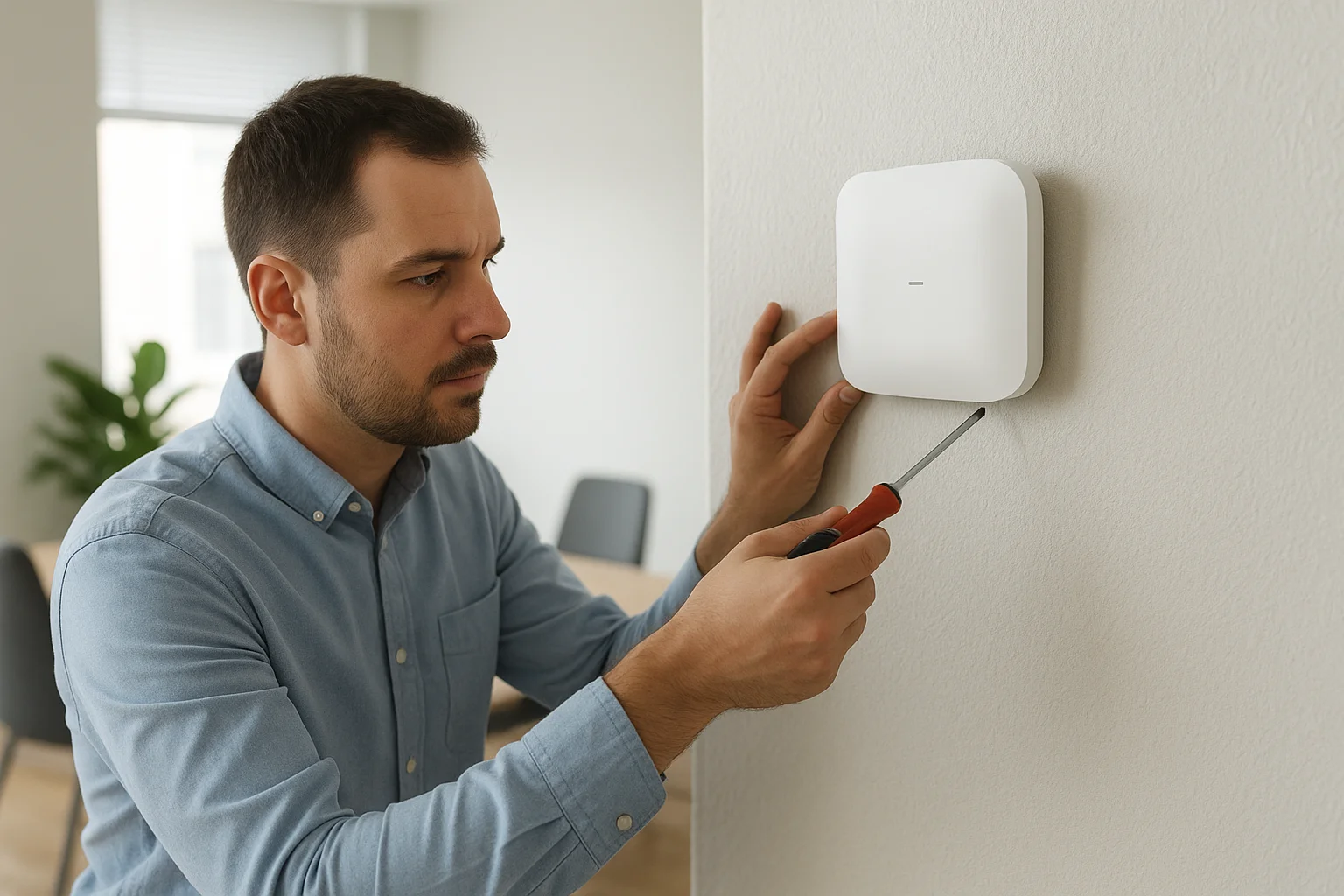
Professional site surveys prevent the guesswork that causes most DIY network failures, ensuring complete coverage before installation begins.
Ongoing monitoring and maintenance
Once your network goes live, your provider monitors performance 24/7 through cloud-based dashboards that track connection quality, bandwidth usage, and potential issues. They receive automated alerts when devices drop offline or speeds degrade, often resolving problems remotely before you notice them. Regular firmware updates happen automatically, closing security vulnerabilities and adding new features without requiring downtime or technical knowledge on your end.
Hardware and software management
Managed services include all necessary equipment, replacing or upgrading access points as technology evolves or your needs change. Your provider owns and maintains the hardware, eliminating capital expenses and obsolescence concerns. They also configure quality of service settings that prioritize critical applications like video calls or point-of-sale transactions over background updates, ensuring essential functions always receive adequate bandwidth regardless of total network load.
How managed WiFi works behind the scenes
The technical foundation of managed WiFi relies on cloud-based controllers that connect to your access points through the internet. Your provider configures these controllers to manage every aspect of your network remotely, from security protocols to channel selection. This centralized architecture means updates and adjustments happen instantly across all hardware without requiring physical access to your equipment, and technicians can troubleshoot issues from anywhere rather than scheduling on-site visits.
Cloud-based management platforms
Your managed WiFi system connects to a web-based dashboard that displays real-time network performance metrics. These platforms track which devices connect to each access point, how much bandwidth they consume, and whether any connections experience instability. Administrators receive automated alerts when unusual activity occurs, such as multiple failed login attempts or sudden traffic spikes that might indicate security threats. You gain access to simplified reporting interfaces that show network health without requiring technical expertise to interpret the data.
Cloud management eliminates the need for local servers or dedicated IT staff, reducing both infrastructure costs and maintenance complexity.
Automatic network optimization
Managed systems continuously scan the wireless environment to detect interference from neighboring networks or electronic devices. When they identify congestion on specific channels, the controllers automatically shift your access points to clearer frequencies without disrupting existing connections. Load balancing algorithms distribute connected devices across multiple access points based on signal strength and current capacity, preventing any single unit from becoming overwhelmed while others sit idle. This self-optimization explains what is managed wifi achieves that consumer routers cannot, constantly adjusting performance parameters based on actual usage patterns rather than factory default settings that never adapt to your specific environment.
Managed vs unmanaged WiFi for homes and SMBs
Understanding what is managed wifi requires comparing it to the traditional unmanaged approach most people start with. Unmanaged networks mean you purchase consumer routers yourself, handle all configuration, and troubleshoot problems as they arise. While this costs less upfront, you become responsible for every aspect of network maintenance, from security updates to coverage expansion. The comparison between these approaches centers on time investment versus technical capability, determining whether DIY management fits your resources or professional oversight delivers better value.
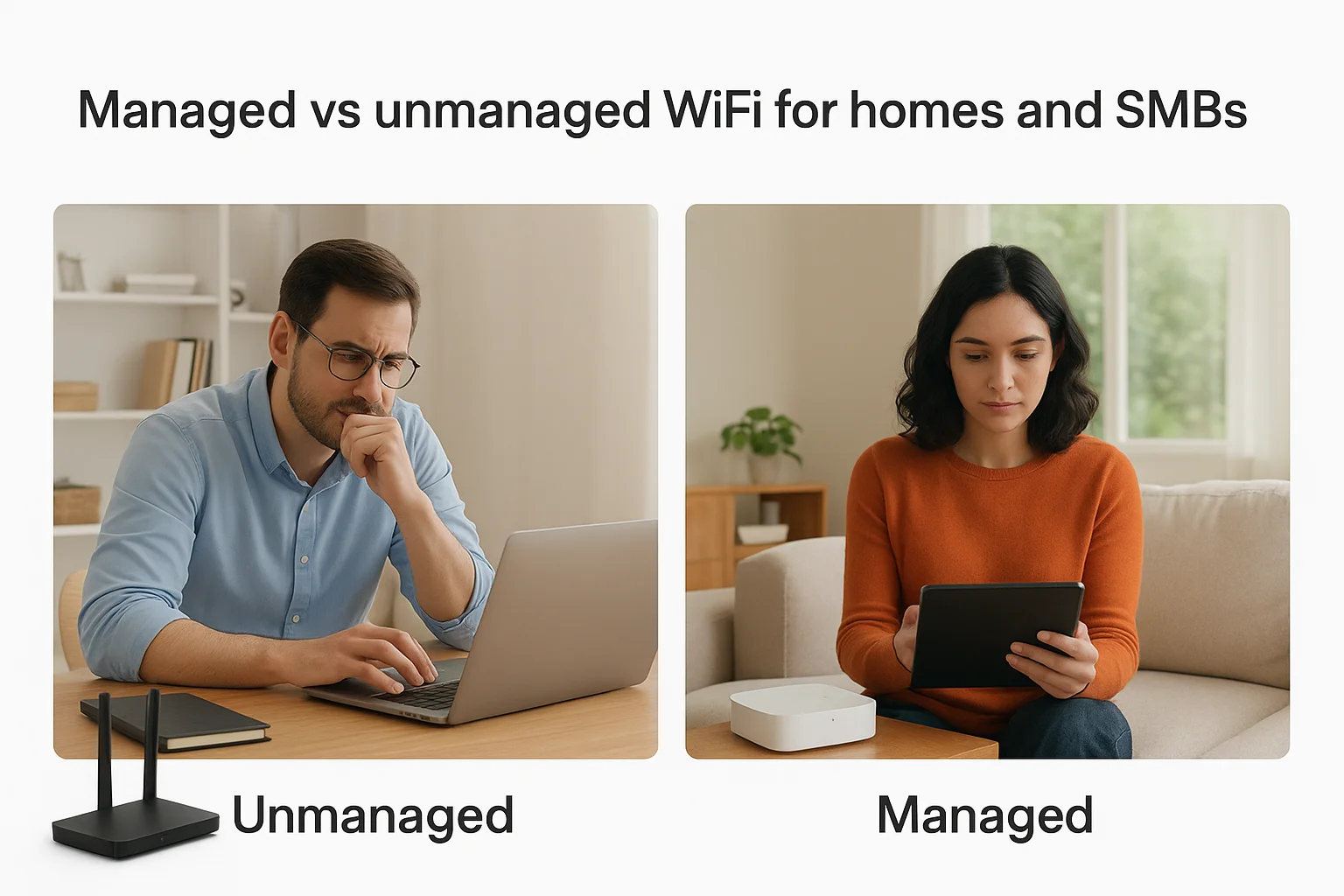
What unmanaged WiFi looks like
With unmanaged setups, you buy equipment from retail stores and follow basic installation guides to get online. You manually update firmware when you remember, adjust settings through confusing admin panels, and Google solutions when problems occur. Coverage gaps require purchasing additional routers or range extenders that often create their own connectivity issues rather than solving them. Small businesses using this approach frequently assign network management to employees who already have full-time responsibilities, creating divided attention that leaves both jobs incomplete.
Cost comparison and ROI considerations
Managed WiFi typically costs $50 to $200 per access point monthly depending on location size and service level, while unmanaged hardware requires $100 to $300 upfront per router. However, these initial savings disappear when calculating time spent troubleshooting, productivity lost during outages, and eventual hardware replacements. Businesses averaging just two hours monthly on network issues already exceed managed service costs through labor alone.
Businesses that switch to managed WiFi report 40% fewer connectivity complaints and 60% reduction in IT support tickets related to network access.
When each approach makes sense
Choose unmanaged networks if you have technical expertise, minimal device counts, and tolerance for occasional downtime. Managed services suit multi-floor homes, businesses with 10+ employees, or any environment where network reliability directly impacts operations or revenue generation.
Security, privacy, and guest access basics
Managed WiFi providers implement multiple security layers that go far beyond basic password protection. They configure firewalls, enable encryption protocols, and segment your network into separate zones that prevent unauthorized access between different device types. Understanding what is managed wifi includes recognizing these built-in protections that automatically update as new threats emerge, keeping your data secure without requiring constant manual intervention from your team.
Network segmentation and isolation
Your managed network creates separate virtual networks that isolate different device categories from each other. IoT devices like security cameras and smart thermostats connect to one segment, employee workstations to another, and guest devices to a completely isolated network. This separation means if someone compromises a guest device, they can't access your business systems or confidential files because the networks never communicate directly. Segmentation also prevents infected IoT devices from spreading malware across your entire infrastructure.
Network segmentation reduces security breach impact by 70% by containing threats within isolated zones rather than allowing lateral movement across systems.
Guest access configuration and controls
Managed providers set up dedicated guest networks with customizable landing pages, usage limits, and automatic expiration times. You control whether guests need passwords, accept terms of service, or register with email addresses before connecting. Bandwidth throttling prevents guest traffic from consuming resources needed for business operations, and time limits automatically disconnect users after predetermined periods. These controls let you offer WiFi as a customer amenity without compromising network performance or security.
Privacy and data protection measures
Your provider configures encryption standards that protect data traveling between devices and access points, preventing interception by unauthorized parties. They also disable network discovery features that would let connected users see each other's devices or shared folders. Activity logs track connection attempts and bandwidth usage without storing personally identifiable browsing history, balancing security monitoring with privacy compliance requirements that businesses face.
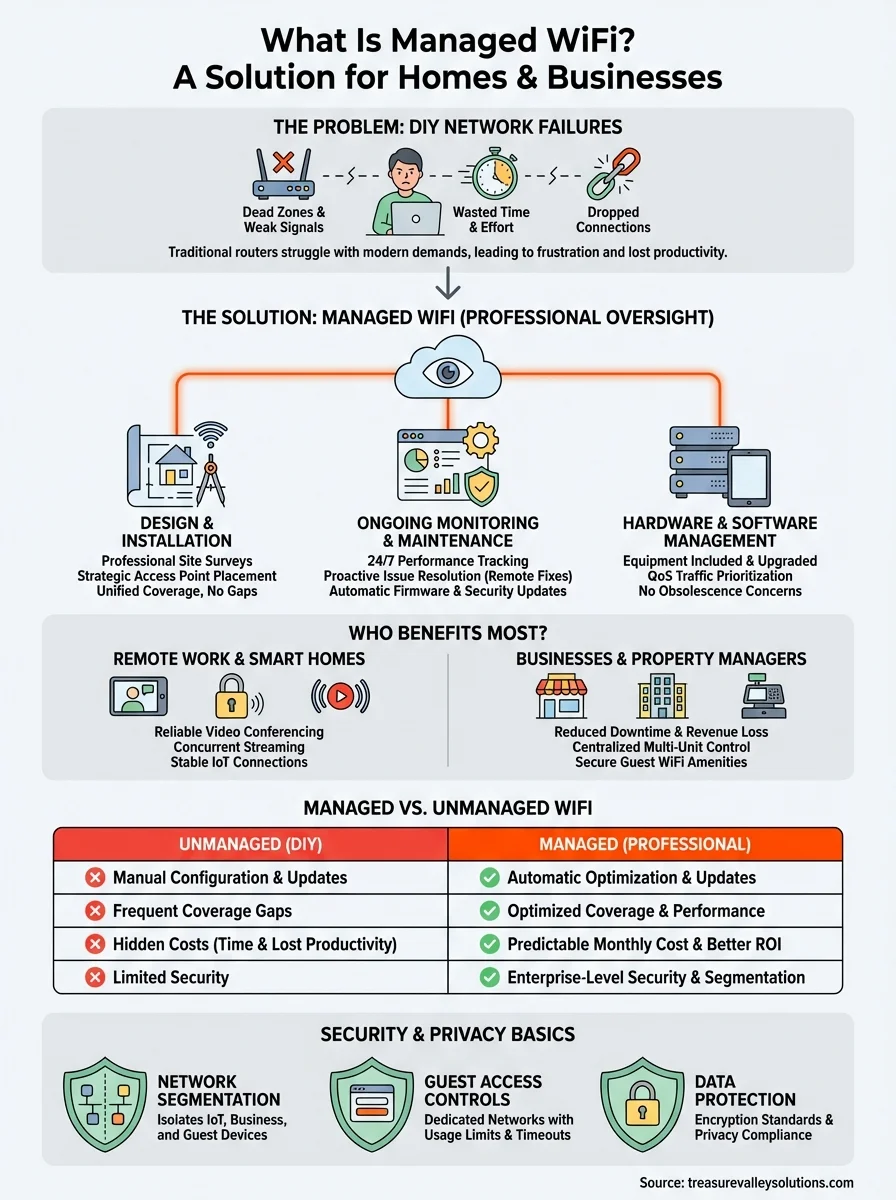
Your next steps
Now that you understand what is managed wifi delivers, compare your current network setup against the challenges outlined throughout this guide. Count your connected devices, measure existing dead zones, and calculate how much time you spend addressing connectivity complaints each month. If that number exceeds two hours or your operations depend on reliable internet access, managed services likely save money while eliminating frustration.
Start by documenting your space dimensions, typical device count, and specific connectivity problems you currently face. This information helps providers design accurate solutions during initial consultations rather than requiring multiple site visits. For businesses and property managers across the Treasure Valley area, professional network design ensures complete coverage from day one while protecting your investment through ongoing monitoring and maintenance.
Ready to eliminate network headaches? Contact Treasure Valley Solutions to schedule a site survey and discover how managed WiFi fits your specific requirements. Our team designs custom networking solutions for homes, businesses, and multi-unit properties throughout Idaho, backed by local support that keeps you connected.